The Goal
I wanted to regain control over my data and learn how to manage a linux server securely. The project started with an old laptop running Ubuntu Server and docker compose. I have recently switched over to Proxmox VE as the next step in my learning journey to improve scalability and make the most out of my limited hardware.
Technical Implementation
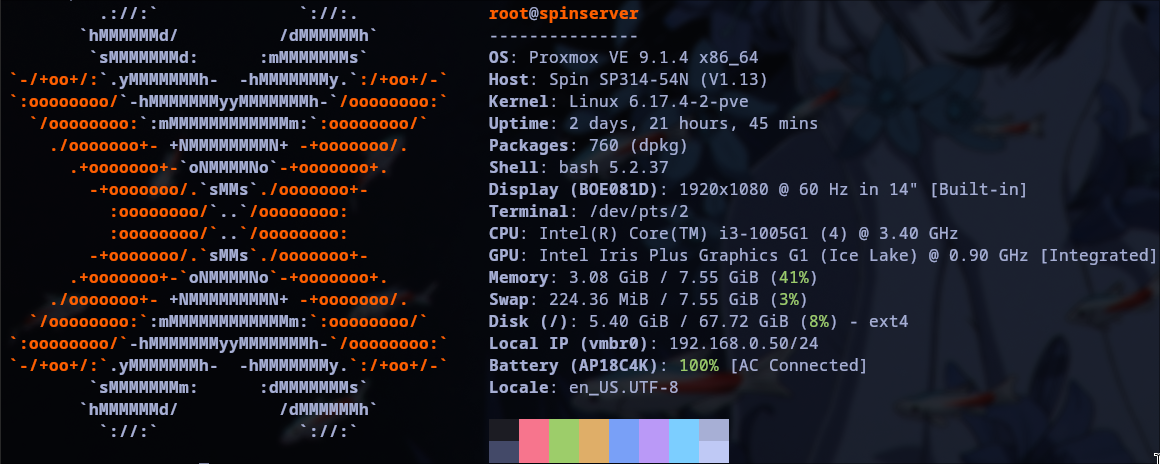
The server runs on Proxmox VE v.9.1.4. I am currently running 4 LXC-Containers, one of them running docker compose for easy deployment of small services (like Homarr)
Services Running:
- Tailscale-Gateway: Advertising subnet routes to devices connected to my tailscale net allowing me to access local devices from anywhere in the world.
- Nextcloud: Strong and feature-rich cloud solution for synchronization across devices.
- AdGuard Home: Network-wide ad and tracker blocking.
- Homarr: Highly customizable Dashboard with system diagnostics and bookmarks for all the services.
Challenges & Learnings
Installing Proxmox
The first challenges arose during the very first step of migrating from Ubuntu Server do Proxmox VE: Apparently, the Proxmox Installer doesn't like Ventoy. Or any of my USB Sticks for that matter. I had to restart the Installation process several times, because the Installer couldn't find the proper installation files. This allowed me, or rather forced me, to educate myself about iso images and installation drives. In the end it somehow worked out, even though I can't exactly say what was different about the tenth try.
Setting up a Tailscale Gateway
Configuring the Tailscale Gateway was the first and most important service I was planning to run. Understanding how to advertise subnet routes so I can reach my Proxmox GUI and other LXCs securely from university, the library, literally anywhere without opening ports on my router (which I am not able to do living in a student dormitory). Later, I also used that to set up Wake-On-Lan on my PC, as I sometimes needed access to local files I forgot to sync with Nextcloud or push to GitHub.
Dealing with Power Saving: My fight against the kernel
After I completed the initial setup and moved the Laptop Server to its final location, my biggest challenge yet arose: For some reason, the network interface turned itself off and I couldn't reach anything from my PC anymore. Since the Laptops screen is broken and therefore really hard to use, that needed to be fixed ASAP. So I researched Network Interfaces, USB-Suspension Settings, and common solutions to that. In the end, I was able to solve the problem by changing a few kernel and grub parameters disabling USB-Suspension and I also wrote a small bash script, which is executed via cronjob every 2 minutes and is supposed to check the network connection, resetting and reactivating the Network Interface if necessary. The logs tell me that script hasn't ever fully run, so apparently, the changed kernel parameters work.
Helper Scripts
The other services, Nextcloud, AdGuard Home, and Docker, I set up using community helper-scripts, automating the repetitive container configuration.